🤖 The Blockbrain Brief #12
What’s shipping in enterprise AI: in-workflow assistants, context graphs, safer agents, and cheaper tool use.
📩 High-level Summary
- Langdock: Brings full AI chat & agents into Microsoft Teams (1:1, channels, @mentions) so work stays in-flow.
- Hebbia: Offline deep research for finance/legal teams using strong multi-doc reasoning, tables, and PowerPoint-ready outputs beyond basic RAG.
- Glean: Context Graphs turn enterprise activity and relationships into usable context for agents to automate real workflows.
- Perplexity: BrowseSafe-Bench targets browser-agent security, benchmark + detection for prompt injection risks.
- Anthropic (Claude): New tool-use patterns cut tokens: code-orchestrated tool calls, on-demand tool search, and MCP for scaling to 1,000s of tools.
Langdock in Microsoft Teams
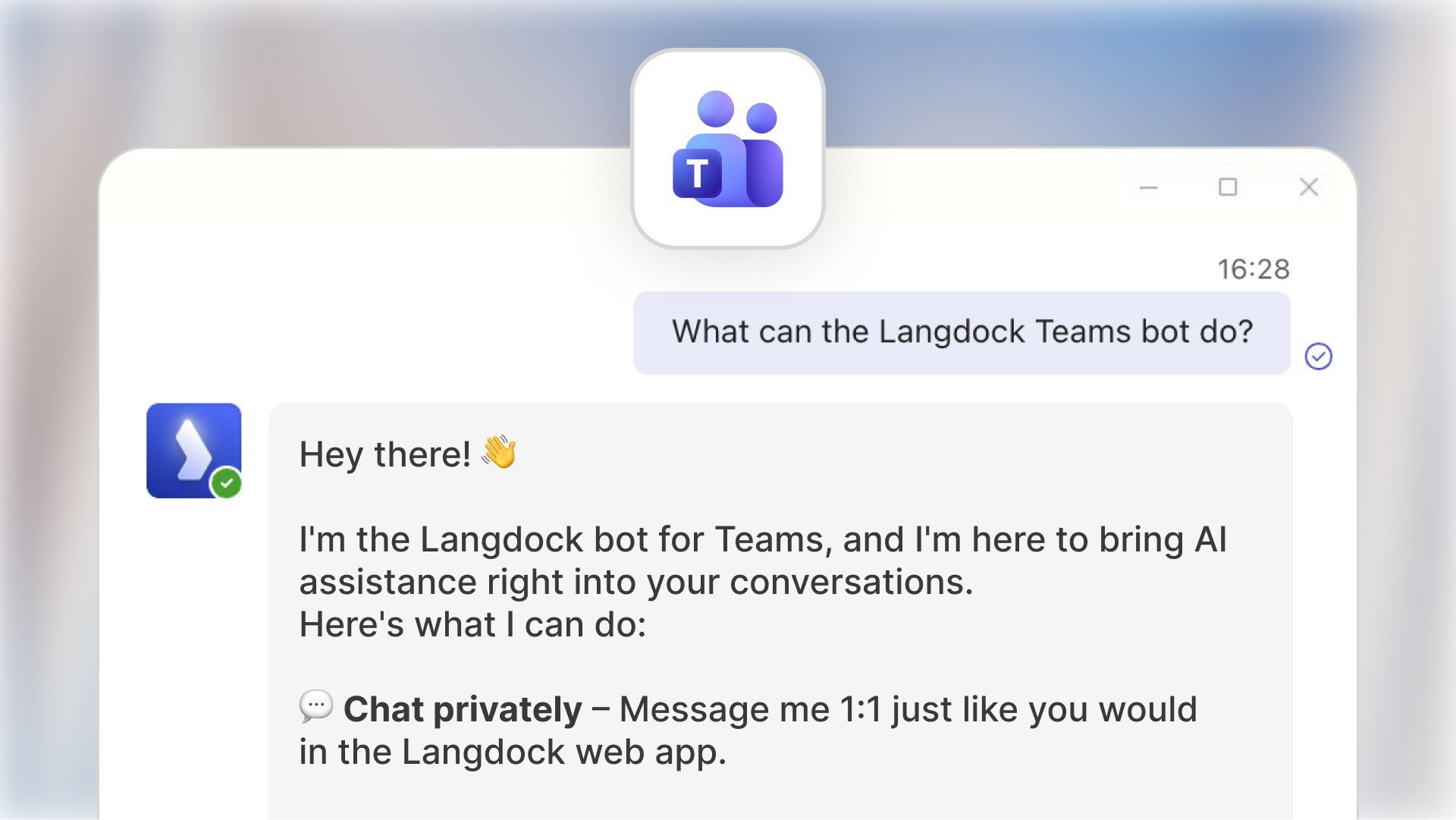
Langdock’s Teams bot brings the full chat experience into the place many teams already work. In Private Chat, users can do a 1:1 conversation where context is maintained across messages, with quick access to a prompt library and the option to reset context by clearing chat history.
For collaboration, Langdock can be used directly inside Teams channels by tagging @Langdock. Each thread becomes its own conversation, and Langdock can read the thread context. This allows teams to discuss first, then pull in the assistant with full context. Teams can also set a dedicated agent per channel/thread (e.g., “FAQ-Agent”, “Content Writer”), while keeping each thread’s context separate.
Hebbia: Deep Research Agents for Finance & Law
Hebbia is an enterprise AI platform for deep research across private document sets with diligence packs, credit agreements, filings, memos, and Excel-heavy analysis. It’s positioned as a system that can automate a large share of “associate-level” work by turning unstructured docs into structured outputs you can review and reuse. Instead of a basic RAG chatbot that retrieves a few snippets, Hebbia runs multi-agent, large-scale analysis over full documents and returns verifiable outputs with citations.
Spotlight Features
- Matrix: a spreadsheet-like AI workspace for massive document sets
Matrix is designed like a grid (rows/columns) where columns can represent questions/fields and the system can scale to thousands of rows and many columns of generated analysis. In addition, Matrix gives OpenAI models an infinite effective context window.
- PowerPoint Generation
Hebbia can generate slides from Chat/Matrix and supports firm templates.
They also leaned into deck automation via FlashDocs (PowerPoint + Google Slides generation, template upload, rich formatting). And their Dec 2025 “Disclosure” highlights editable PowerPoint tables that auto-format cleanly.
- Finance data integrations
They’ve highlighted data-source integrations like S&P Capital IQ and screening workflows, plus access to broader filings libraries for research.
- Website filtering in Chat and Matrix
When you use web as a source in Chat and Matrix, Hebbia filters out low-credibility websites, ensuring you only receive insights from trusted, authoritative sources.

Context visualized by Glean through Context Graphs
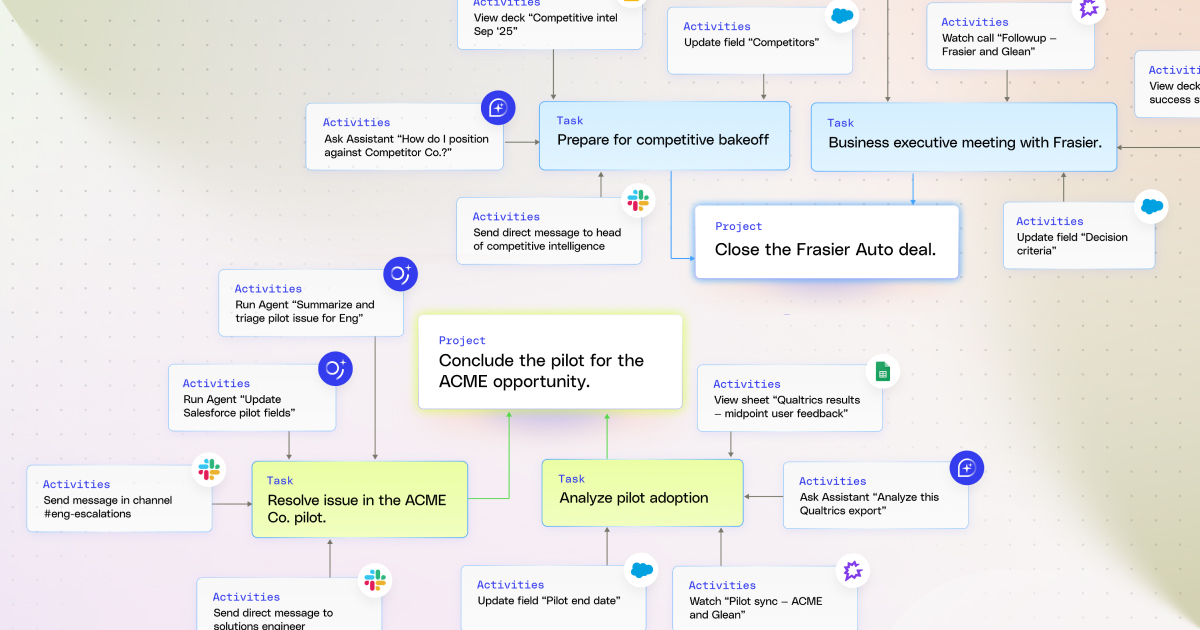
Glean argues that “context” is becoming a new enterprise data platform rather than just indexing documents, it is building a foundation for agentic work from connectors, indexes, and personal & enterprise graphs.
Their framing is that when you combine these layers, you get infrastructure designed less for analytics and more as the backbone of agentic automation. This creates a system that observes how work happens and helps agents carry work forward reliably across the org.
Perplexity releases BrowseSafe-Bench for browser agents
Perplexity Research introduced BrowseSafe-Bench, a benchmark designed to evaluate prompt injection threats in browser-agent settings by composing attacks embedded in realistic HTML (including hidden text, attributes, comments, and “noisy” pages). They describe building a synthetic pipeline with hard negatives/distractors so detectors don’t overfit on obvious keywords.
They also present a fine-tuned detection model aimed at production latency constraints (so security checks can run alongside an agent loop). In results shared, their fine-tuned BrowseSafe model hits about F1 ~0.91 while staying fast enough for deployment, and they recommend a defense-in-depth approach that treats web content as untrusted and uses layered guardrails.
Claude cuts down tokens by optimizing tool calling
Anthropic introduced three beta capabilities to make agents scale across large tool libraries without blowing up context: Tool Search Tool, Programmatic Tool Calling (PTC), and Tool Use Examples.
- Tool Search Tool: tools can be marked defer_loading: true, so Claude searches for what it needs (e.g., “github”) and only loads the relevant tool definitions into context. Anthropic notes this can preserve prompt caching (since deferred tools aren’t in the initial prompt) and can scale across many tools and even MCP servers via
mcp_toolsetconfigurations. - Programmatic Tool Calling: instead of calling tools one-by-one with intermediate results polluting context, Claude writes Python orchestration code in a sandbox, processes results there, and only sends the final output back to the model context. Anthropic reports meaningful token savings (~37%), reduced latency (fewer inference round-trips), and improved accuracy on internal benchmarks.
Their companion “code execution with MCP” framing is that tool definitions/results can easily consume tens of thousands of tokens in agent workflows, so on-demand tool discovery & sandboxed execution helps keep the model focused on the actual user request.
With the use of these features, internal testing was able to create Claude for Excel. This uses Programmatic Tool Calling to read and modify spreadsheets with thousands of rows without overloading the model’s context window.